P2P Chat
A secure, peer-to-peer encrypted chat app with direct connections and WebTorrent-based file sharing. No central servers required.
Project Gallery
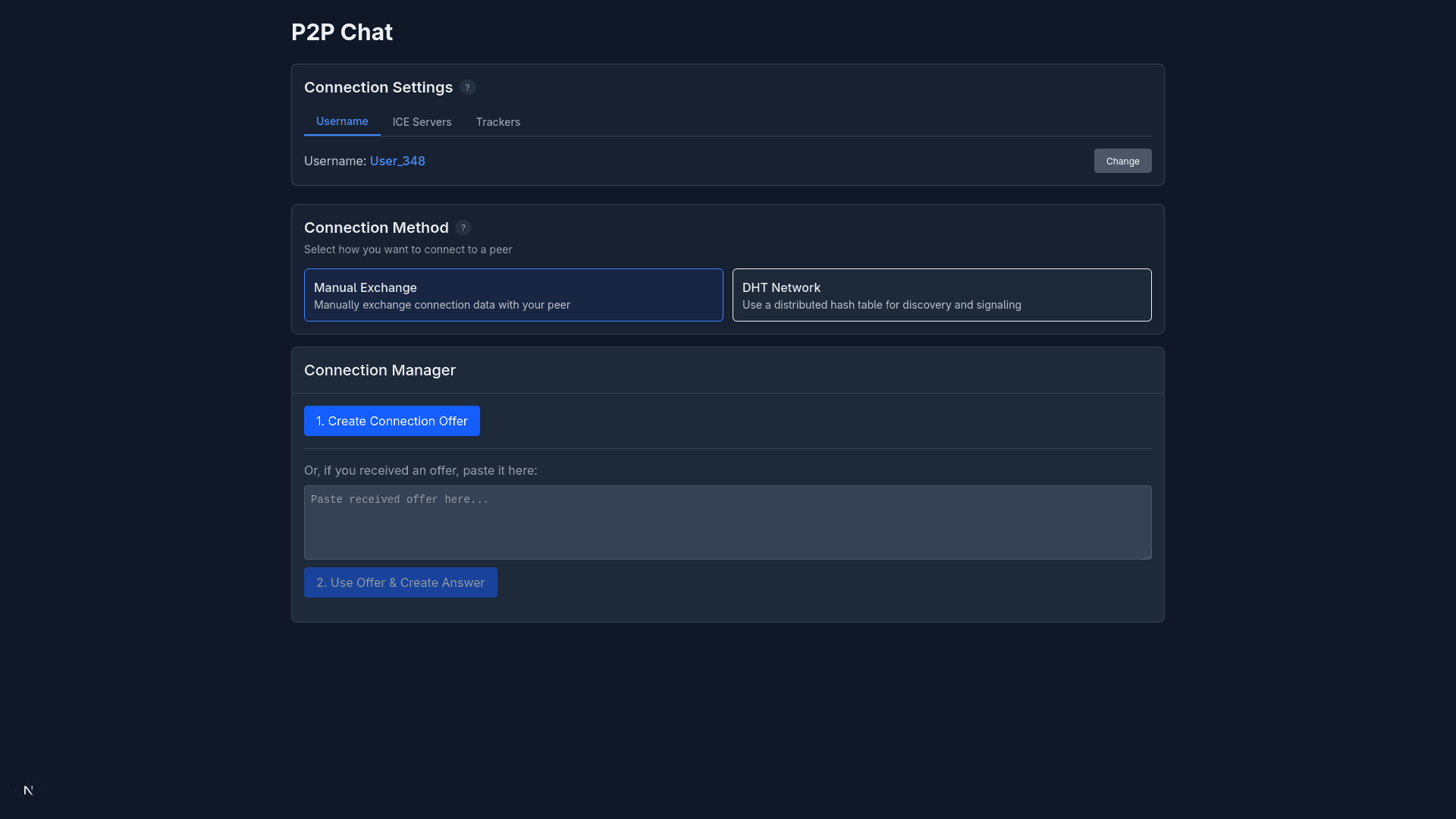
Main interface showing connection options
Project Overview
P2P Chat
P2P Chat is a secure, peer-to-peer encrypted chat application that enables direct communication between users without requiring messages to pass through central servers. The application leverages WebRTC for establishing secure connections and uses WebTorrent for efficient file sharing.
Screenshots
| Main Page | Chat Screen | Help | STUN/TURN Config |
|---|---|---|---|
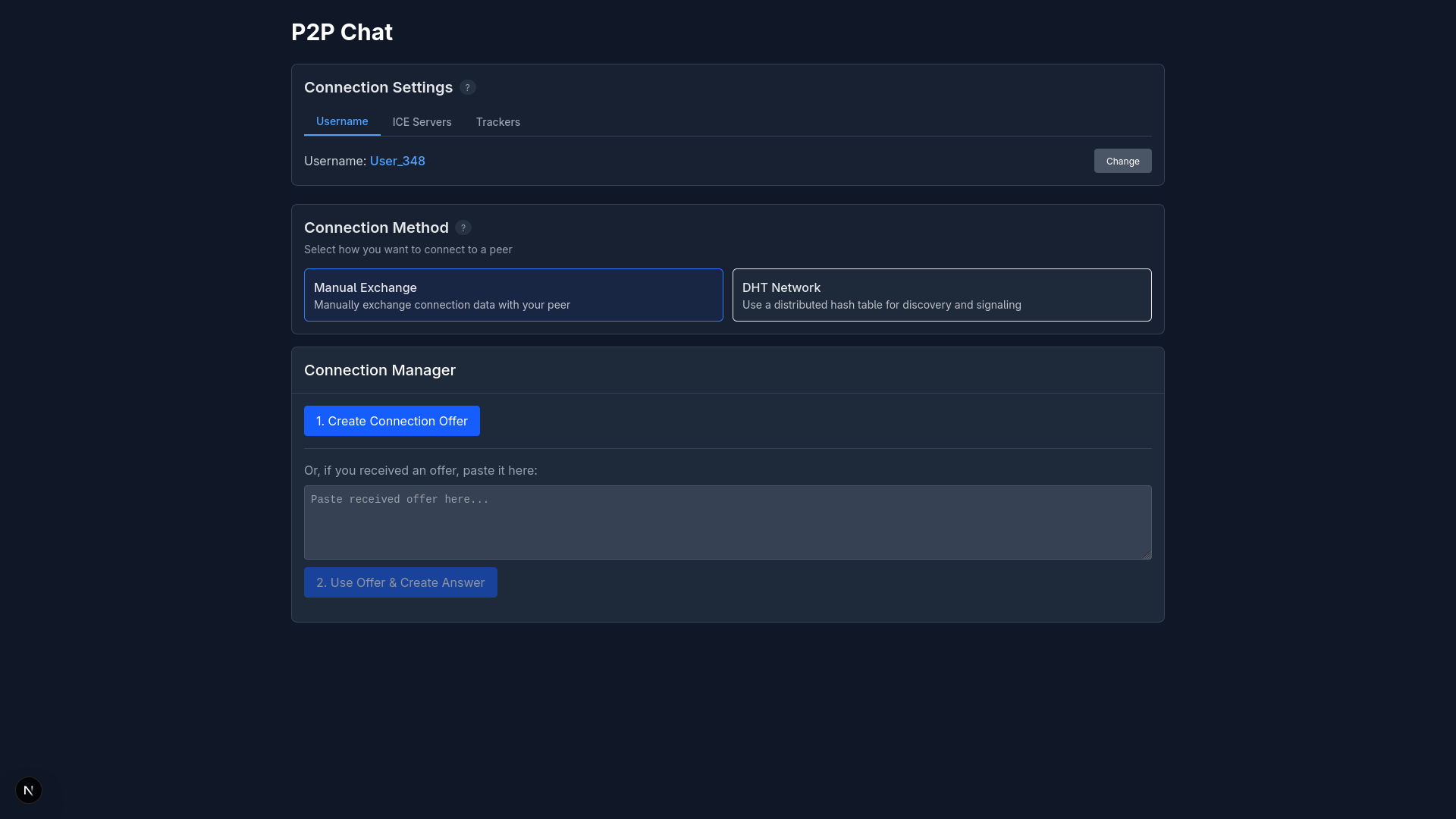 Main Page Main Page | 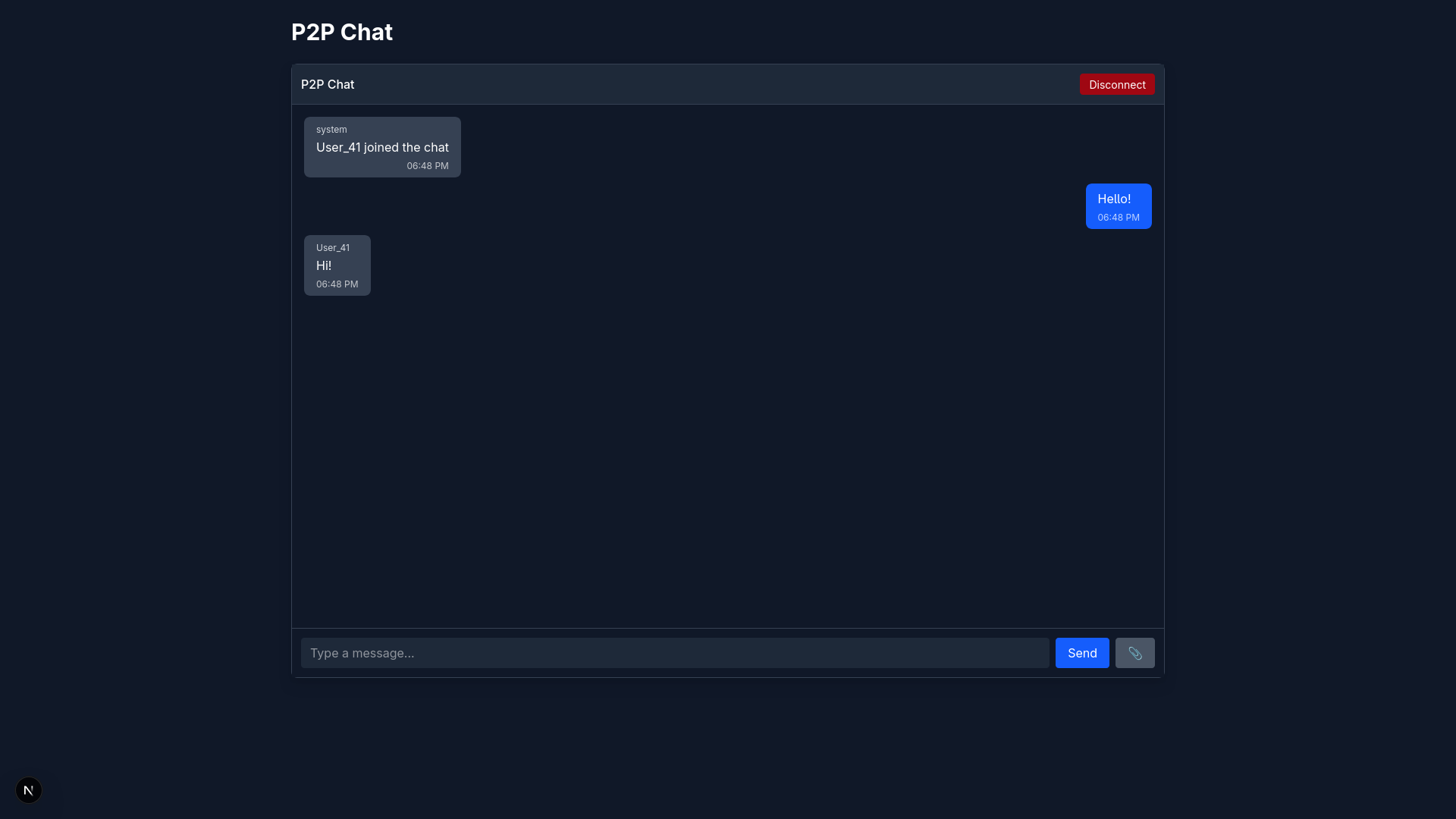 Chat Screen Chat Screen | 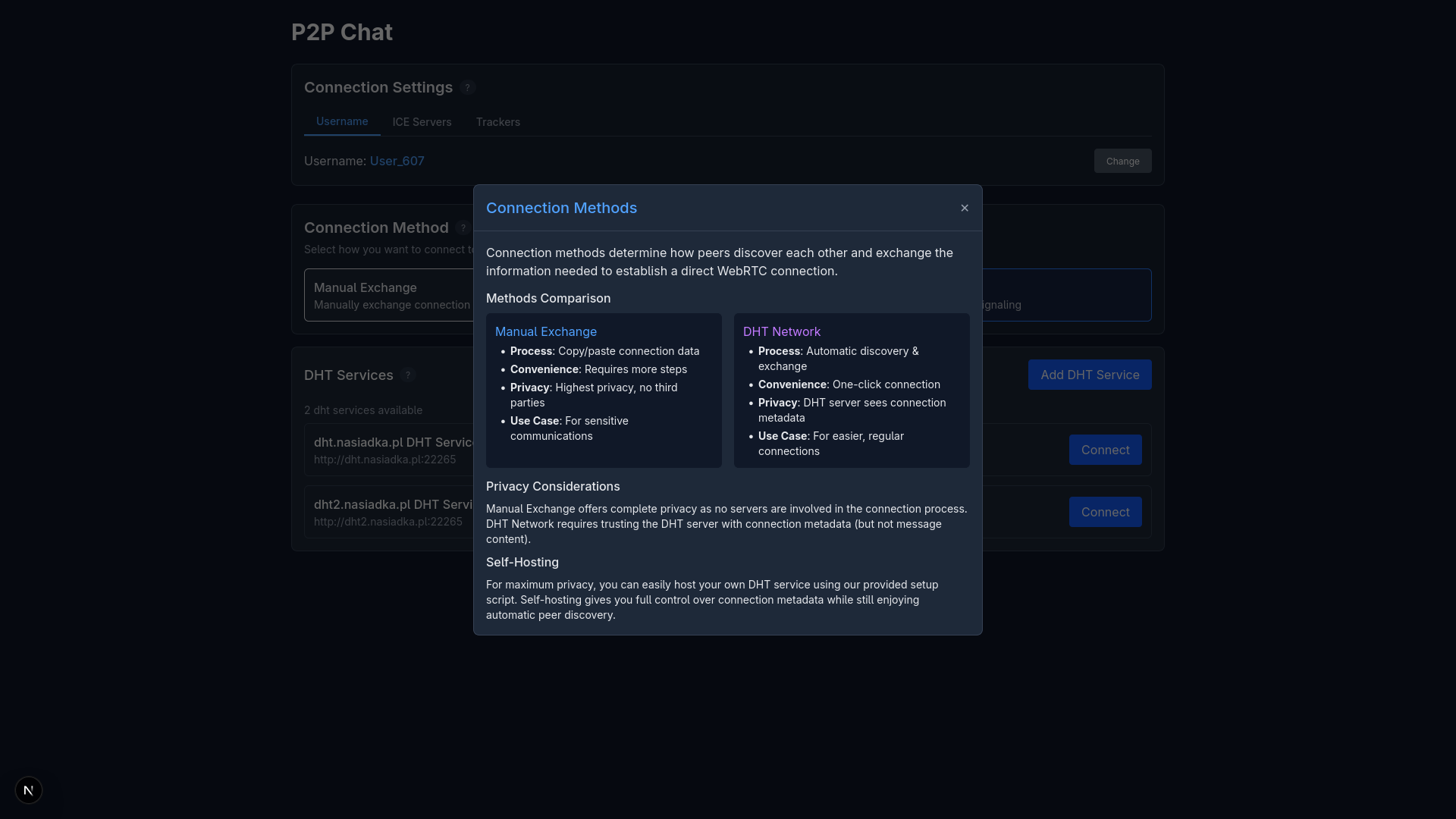 Help Help | 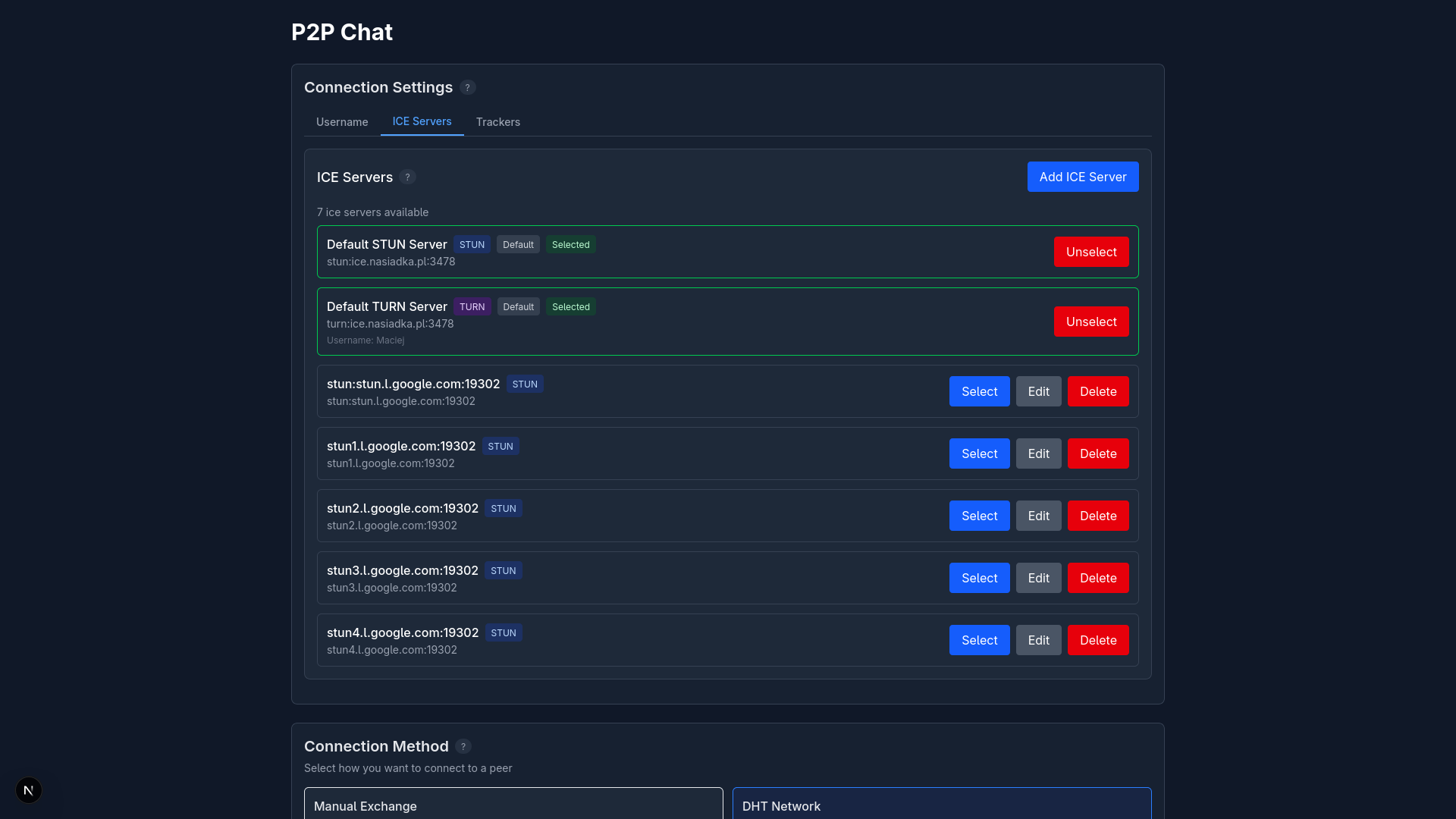 STUN/TURN Config STUN/TURN Config |
| Main connection page for establishing P2P connections | Real-time encrypted messaging with file sharing | Help popup with connection instructions | Configure STUN/TURN servers for NAT traversal |
Features
- Truly Peer-to-Peer: All messages travel directly between peers, not through servers
- End-to-End Encryption: WebRTC provides built-in encryption for all communications
- Connection Methods:
- Manual Exchange: Highest privacy, copy/paste connection details
- DHT Network: Easier connection through a discovery service
- File Sharing: Send files of any size directly between peers using WebTorrent
- No Account Required: Use any username, no registration needed, just start application on your computer
- Self-Hosting Options: Run your own DHT and STUN/TURN servers
- Customizable Network Services:
- Configure ICE servers (STUN/TURN) for connection establishment
- Configure WebTorrent trackers for file sharing
- Add multiple DHT services for connection discovery
Prerequisites
- Docker
- Docker Compose
Installation and Setup
-
Clone the repository:
git clone https://github.com/NasiadkaMaciej/p2pchat cd p2pChat -
Run the deployment script:
chmod +x p2pchat.sh ./p2pchat.sh -
Choose your deployment option:
- Option 1: Client only (connect using default services)
- Option 2: Server only (host DHT and STUN/TURN, services for others)
- Option 3: Both client and server (use your own and other services)
-
Access the application:
- Frontend: http://localhost:3010
Connection Process
P2P Chat offers two methods for establishing connections (manual is available in app too):
Manual Exchange (Maximum Privacy)
- User A generates a connection offer
- User A sends this offer to User B through a secure channel (messaging app, email, physical note, etc.)
- User B accepts the offer, generating an answer
- User B sends the answer back to User A
- Connection is established directly between peers
Benefits: No third parties involved, highest privacy level.
DHT-Based Connection (Convenience)
- User A connects to a DHT service
- User A shares their connection ID with User B
- User B connects to the same DHT service and enters User A's ID
- DHT facilitates the exchange of connection data
- Connection is established directly between peers
Benefits: Easier connection process with minimal manual steps.
Components and Services
Frontend
- Next.js application providing the user interface
- Manages WebRTC connections and data channels
- Handles file transfers using WebTorrent
Backend
- Stores configuration for ICE servers, DHT services, and WebTorrent trackers
- Provides APIs for client configuration
- Does NOT handle or store any chat messages
DHT Service
- Helps peers discover each other and exchange connection data
- Only facilitates initial connection, not involved in message exchange
- Can be self-hosted for enhanced privacy
STUN/TURN Servers
- STUN: Helps peers discover their public IP addresses
- TURN: Acts as a relay when direct connections aren't possible
- Essential for connections across different networks and NAT types
Database
- MongoDB instance for storing service configurations
- Does NOT store chat messages or content
Security Considerations
Privacy
- All messages travel directly between peers with WebRTC encryption
- No message content is stored on any server
- Manual exchange offers complete privacy with no third-party services
- DHT service can see connection metadata but not message content
Self-Hosting
For maximum privacy, you can self-host:
- DHT services for peer discovery
- STUN/TURN servers for connection establishment
- WebTorrent trackers for file sharing
File Sharing Privacy
- WebTorrent trackers only see metadata about transfers, not file contents
- Files are transferred directly between peers over encrypted WebRTC connections
Running Multiple Instances
To run multiple clients on the same machine (for testing):
- Modify the
FRONTEND_PORTin your .env file for each instance - Create separate deployment directories
- Run the deployment script in each directory
Stopping the Application
To stop the application:
docker-compose down
To remove all data including volumes:
docker-compose down -v
Adding TURN Users
When running your own TURN server, add users with:
./stunturn/add-turn-server.sh <username> <password>
Troubleshooting
Connection Issues
- Ensure your firewall allows WebRTC connections
- Try adding more ICE servers in the settings
- If direct connection fails, add a TURN server
File Transfer Problems
- Ensure at least one WebTorrent tracker is selected (although it should probably work with only STUN/TURN servers)
- For large files, wait for the transfer to complete
Contributing
Contributions are welcome! Please feel free to submit a Pull Request.