Ollama AI Chat
A full-featured web app for interacting with self-hosted Ollama AI models. Includes conversation management, model switching, and memory monitoring.
Project Gallery
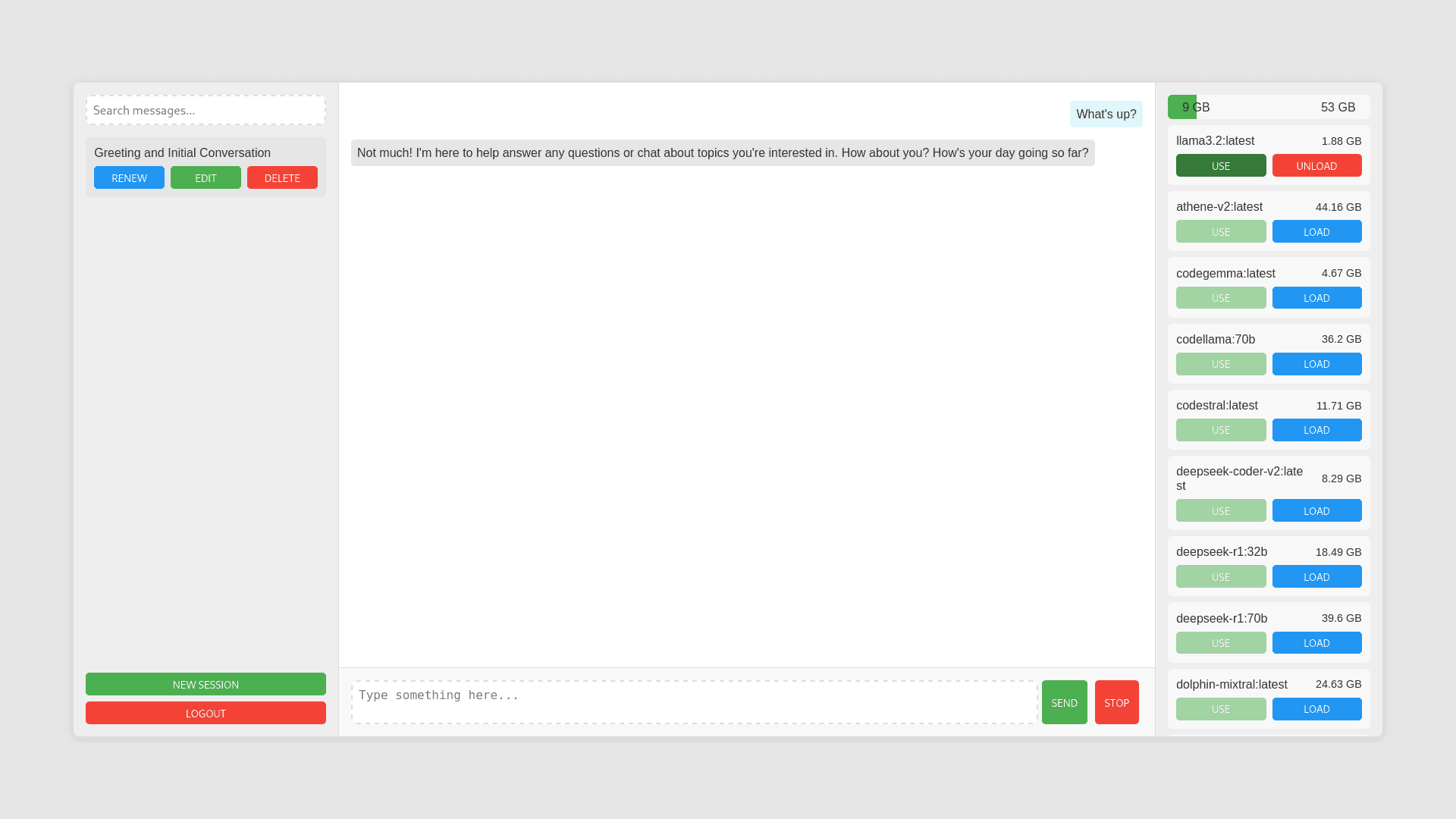
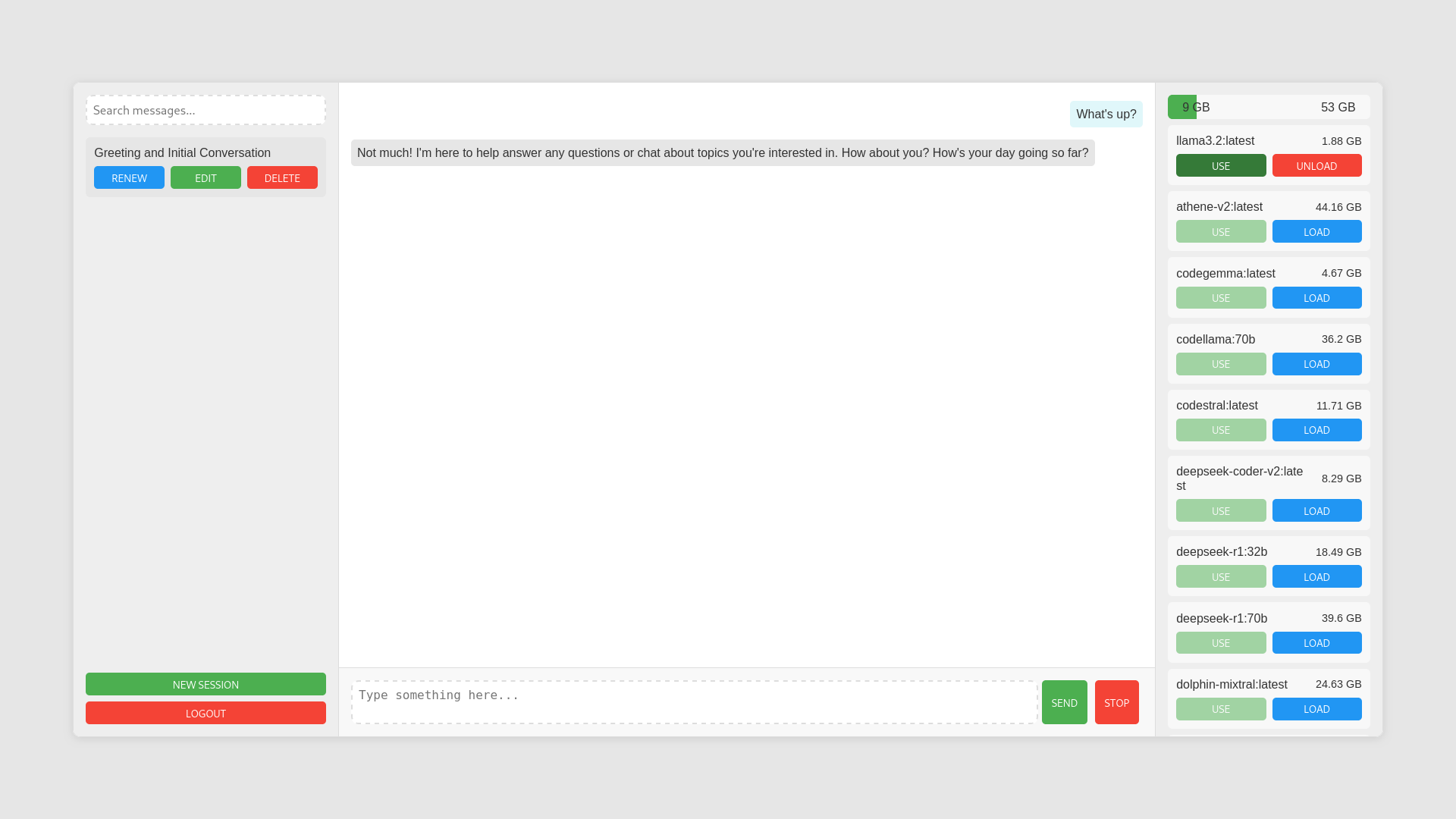
Chat screen
Project Overview
Ollama Chat
Ollama Chat is a full-featured web application for chatting with self-hosted Ollama AI models. It provides a clean, intuitive interface for interacting with large language models while offering advanced features like conversation management, model switching, memory monitoring, and secure authentication with email verification and password reset.
| Chat Screen | Login Page |
|---|---|
 |  |
Features
- Self-hosted Models: Connect to locally running Ollama models
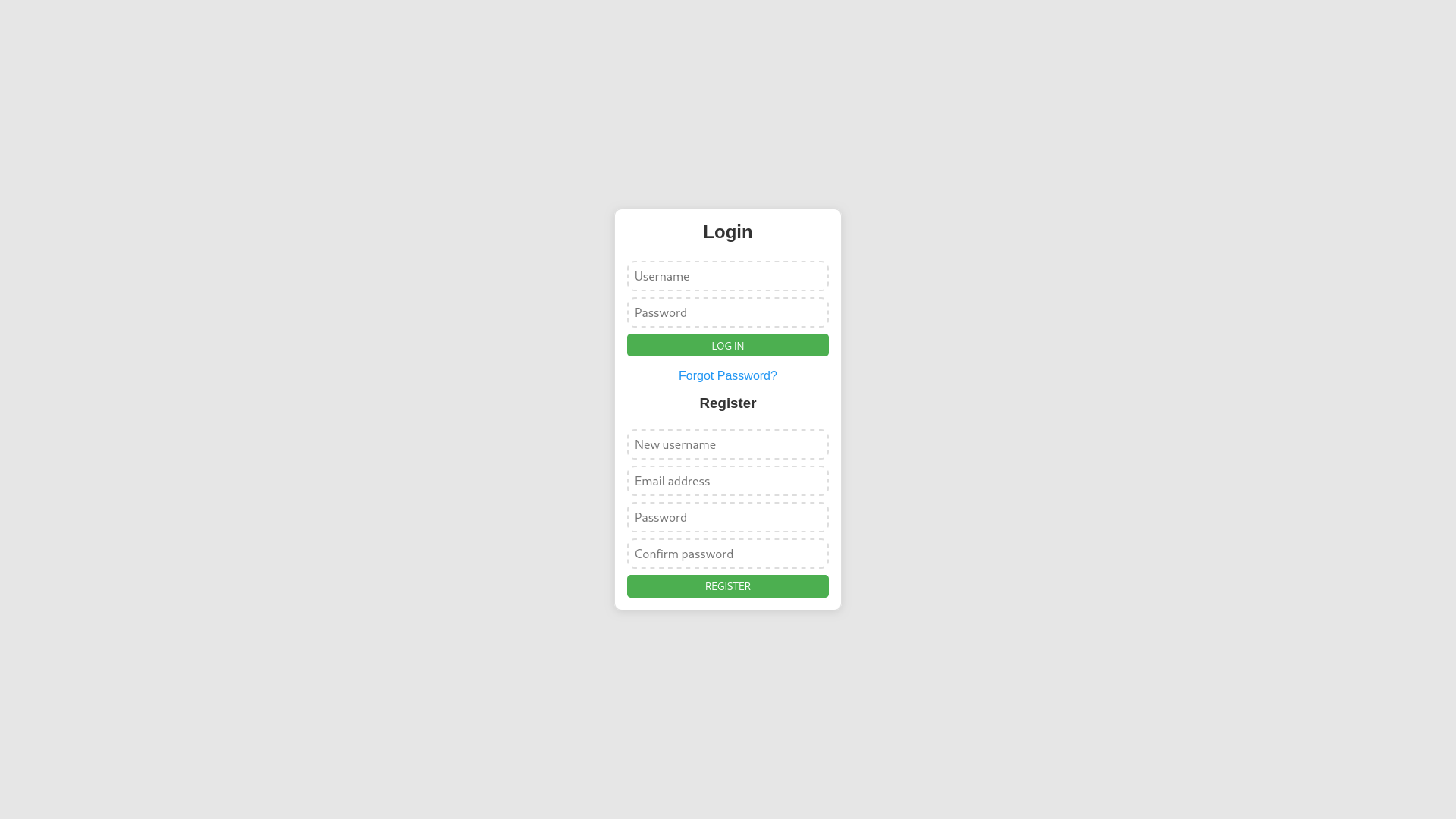
- User Authentication: Secure login/registration system with email verification and password reset
- Session Management: Create, rename, search, and delete conversation sessions
- AI Generated Session Names: Automatically create contextual session names from conversation content using the AI model
- Real-time Chat: Stream AI responses with typing animation
- Memory Monitoring: Track system memory usage during model inference
- Model Management: Load/unload models dynamically (admin only)
- Password Recovery: Reset passwords via email verification
How does it work?
- Create an Account: Register with email verification or login to an existing account.
- Select or Load Models: Choose from available models or load new ones (admin privileges required)
- Start Conversations: Create new sessions to chat with the selected AI model. Each session is saved and can be reopened later.
- Manage Sessions: Search, rename, or delete previous conversations. Session names are generated by the AI based on the first message.
- Real-time Responses: Experience streaming AI responses with natural typing animations. Typing speed is proportional to the selected model's size.
- Password Recovery: Use the password reset feature to recover access via email if needed.
Technical Architecture
The application uses:
- Backend: Node.js with Express.js server
- Real-time Communication: Socket.IO for bidirectional chat
- Database: MongoDB for storing user accounts and chat sessions
- Authentication: JWT tokens with secure HTTP-only cookies
- Email: SMTP Brevo integration for verification and password reset
- Frontend: Vanilla JavaScript with modular components and SCSS styling
Setup Instructions
Prerequisites
- Node.js and npm
- MongoDB database
- Ollama running locally or on accessible server
Installation
-
Clone the repository
-
Install server dependencies:
cd server npm install -
Create a
.envfile in the server directory with the following variables:PORT=3003 MONGODB_URI=mongodb://127.0.0.1:27017/OllamaChat OLLAMA_API_URL=http://127.0.0.1:11434/api JWT_SECRET=your_jwt_secret_here SESSION_SECRET=your_session_secret_here ADMIN_USERNAME=your_admin_username SESSION_NAME_MODEL=llama3.2:latest BREVO_HOST=smtp-relay.brevo.com BREVO_PORT=587 BREVO_USER=your_brevo_user BREVO_PASSWORD=your_brevo_password VERIFIED_SENDER=your_verified_sender_email -
Start the server:
node server.js -
Access the application at
http://localhost:3003
FAQ
What models can I use with Ollama Chat?
You can use any model that's compatible with Ollama. The application shows all available models and allows you to load/unload them as needed. Only loaded models can be used for chat.
How do I load new models?
Admin users can load or unload models directly from the interface. Non-admin users can only use models that have already been loaded.
Is my chat data secure?
All chat sessions are stored in your MongoDB database and associated with your user account. Communications use secure protocols with JWT authentication and HTTP-only cookies.
What's the typing animation based on?
The typing speed is proportional to the size of the selected model, making the animation match the speed of answer generation.
Can I self-host this application?
Yes! This application is designed to be self-hosted alongside your Ollama instance, giving you full control over your AI interactions.
Can I test it before deploying it on my server?
Of course! Take a look at: https://ai.nasiadka.pl/
License
This project is licensed under the MIT License - see the LICENSE file for details.