Convenient File Converter
A web-based tool for fast and secure file conversion between multiple formats. Features batch processing, drag-and-drop, and privacy-focused design. It is designed to be intuitive, simple and require minimal input from user
Project Gallery
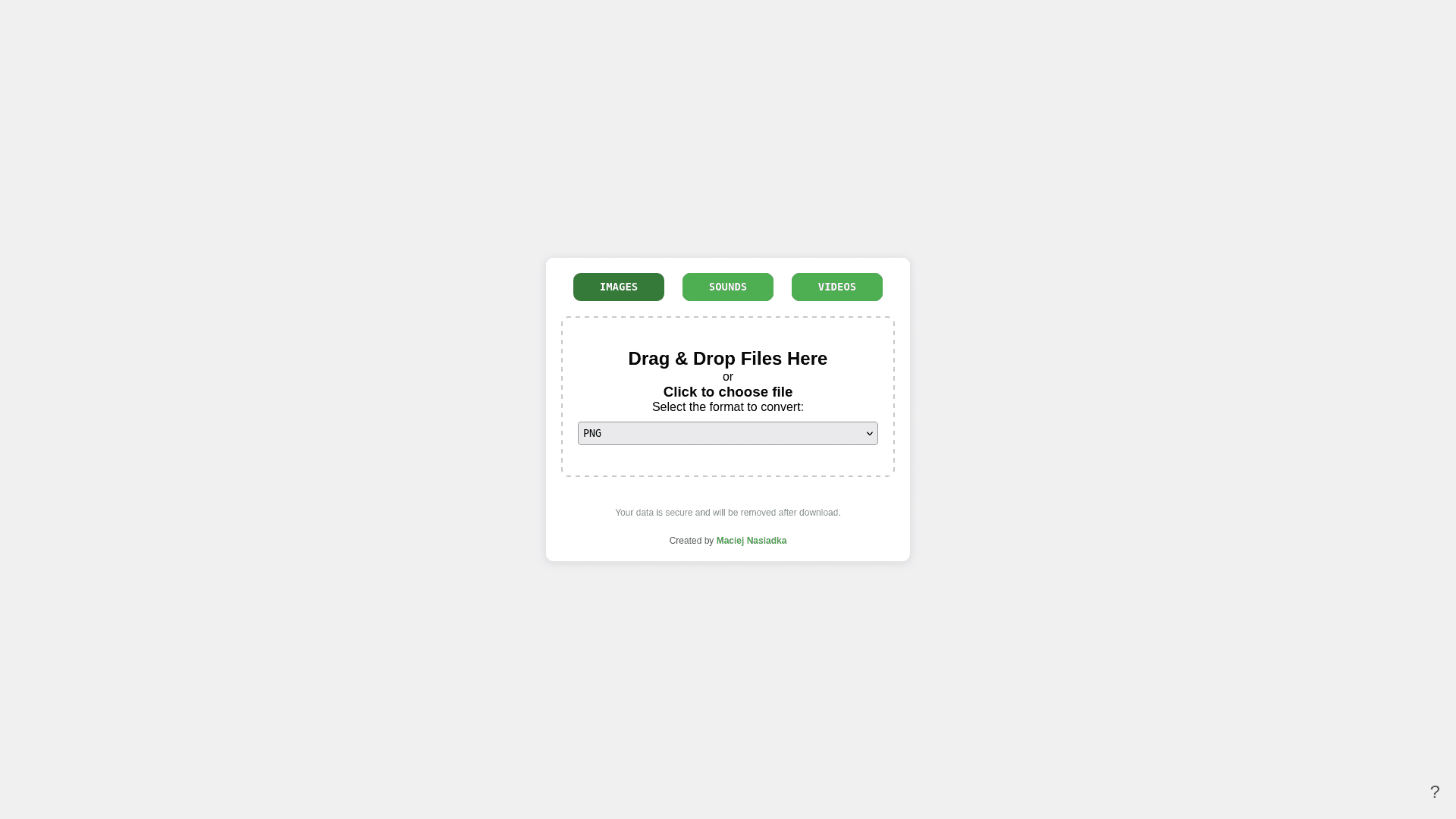
Entry screen
Project Overview
Convenient File Converter
Convenient File Converter is a simple and quick web tool for converting files between different formats. It is designed to be intuitive, simple and require minimal input from user.
Features
- Multi-format support: Convert images, audio, and video files.
- Drag & Drop or File Upload: Easily upload files by dragging them into the browser or selecting them from the file dialog.
- Progress Tracking: Monitor the conversion process through a real-time progress log.
- Data Security: Files are processed and removed after download to ensure your privacy.
- Batch Conversion: Upload and convert multiple files at once.
How does it work?
- Select a Category: Choose from Images, Sound Files, or Videos.
- Choose a Format: Pick the desired output format from the dropdown menu.
- Upload Files: Drag and drop files or click to select them.
- Conversion Starts Automatically: The selected files will begin converting, and the progress will be displayed in the terminal.
FAQ
What file types can I convert?
- Images: PNG, JPG, JPEG, GIF, BMP, TIFF, WebP, SVG, HEIC, HEIF, AVIF
- Sound: MP3, WAV, OGG, FLAC, AAC, M4A
- Videos: MP4, AVI, MKV, MOV, FLV, WebM
What is the maximum file size?
- The maximum file size allowed is 256MB. Files exceeding this size will be rejected.
How is my data handled?
- Your data is processed temporarily in memory. Once the conversion is completed, files are deleted automatically after the download.
Can I convert multiple files at once?
- Yes! You can upload and convert multiple files simultaneously, provided the total size does not exceed the 256MB limit.
How can I help improve the tool?
If you experience some bugs, have suggestions for fixes, features, or improvements, feel free to contact me, open an issue or submit a pull request.