Updating AliExpress LSI 9305-16i Firmware
A complete guide for AliExpress LSI 9305-16i cards using SAS3216 controller (not SAS3224).
Blog Post Overview
Updating AliExpress LSI 9305-16i Firmware on Linux
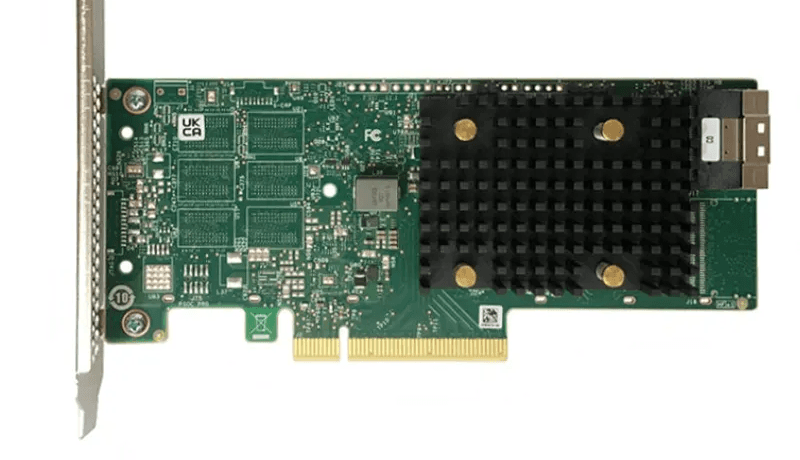
If you bought an LSI 9305-16i HBA from AliExpress, you might be in for a surprise: these cards actually use the SAS3216 controller instead of the SAS3224. This means they're essentially LSI 9305-16e cards, and you'll need different firmware than what you'd expect.
Most LSI 9305-16i cards use the SAS3224 controller, but the AliExpress versions typically come with the SAS3216 controller. This is a critical difference when it comes to firmware updates, as using the wrong firmware can brick your card.
Why Update?
Keeping your HBA firmware up-to-date ensures:
- Improved stability and compatibility
- Better drive support (especially newer models)
- Performance optimizations and bug fixes
- Security patches
What You'll Need
1. Firmware Package
Download the firmware and flashing utility from Supermicro:
2. USB Flash Drive
Critical: The USB drive must be formatted with FAT32 file system, as the EFI shell cannot read other filesystems.
# Replace sdX with your USB drive identifier (check with lsblk)
mkfs.fat -F32 /dev/sdX1
⚠️ Warning: This will erase all data on the USB drive. Back up any important files first!
Step-by-Step Update Process
1. Prepare the USB Drive
Extract the firmware and flashing utility and copy files to your USB drive:
# Extract the firmware package
unzip 3216_FW_PH16.00.11.00.zip

# Navigate to the UEFI folder
cd 3216_FW_PH16.00.11.00/UEFI/

# Copy all files to your FAT32-formatted USB drive
# Replace /dev/sdX1 with your actual USB drive partition
sudo mount /dev/sdX1 /mnt/usb
sudo cp * /mnt/usb/
sudo umount /mnt/usb
2. Boot into EFI Shell
- Plug the USB drive into your server
- Reboot your system
- Enter your BIOS/UEFI settings (common keys: F2, F10, F12, or Del - check during POST)
- Look for an option to boot into EFI Shell or UEFI Shell
- Select it and boot
Sometimes there's no direct way to enter the EFI shell from BIOS. I recommend keeping a bootable USB with something like Arch Linux around, as it typically includes both a memory tester (often useful) and EFI shell access built in.
3. Navigate to Your USB Drive
Once in the EFI Shell, you'll see a command prompt. Your USB drive will be mounted as a filesystem (fs0:, fs1:, etc.).
# List all available filesystems
map

# Try fs0: first (most common for USB drives)
fs0:

# List files to verify you're on the correct drive
ls

# If you don't see the firmware files, try other drives:
fs1:
ls

# Continue until you find the correct filesystem
fs2:
ls
Tip: The map command shows all available storage devices and their assigned filesystem labels.
4. Verify Your Controller
Important: Check controller type to verify that it is in fact SAS3216. If you see a SAS address, write it down - you'll need it in the next step.
sas3flash.efi -list
You should see SAS3216 in the controller information. If you see SAS3224 instead, stop - you have a different card and need different firmware.
5. Run the Firmware Update
To update firmware, run the update script:
SMC3216T.NSH
The update process will start automatically. When prompted for a SAS address:
- Enter the address you wrote down from step 4
- OR simply enter:
000000000(nine zeros) (worked for me lol)
The flashing process will take a short while. Do not interrupt it or power off the system.
6. Verify and Reboot
After the firmware update completes successfully:
# Verify the update
sas3flash.efi -list

# Check that the firmware version has been updated
Once verified, exit the EFI shell and reboot:
exit
# Or simply press the power button
Verification After Reboot
Once your system boots back into Linux, verify the update:
# Check dmesg for LSI controller information
dmesg | grep -i mpt3sas

# Look for firmware version information in the output
Additional Resources
For more context on LSI HBA firmware updates:
Comments (0)
Leave a comment
Loading comments...